
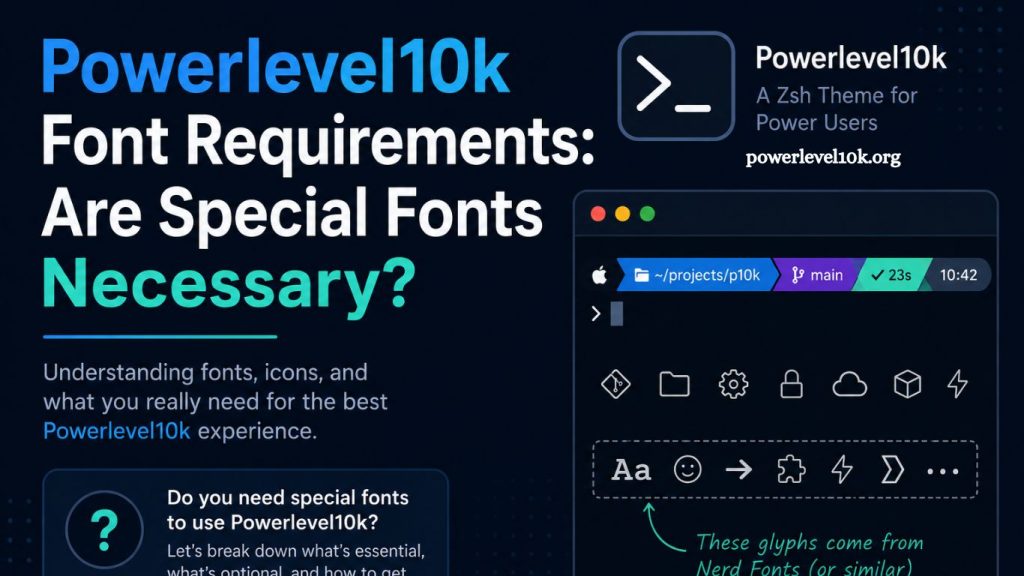
Powerlevel10k Font is one of the fastest and most customizable themes for Zsh, widely used by developers seeking a clean, informative, and visually rich terminal experience. Interest in its setup often raises a recurring question: whether special fonts are required for proper use. A clear understanding of font requirements helps users avoid broken symbols, misaligned icons, and display issues that affect terminal readability.
Understanding Powerlevel10k and Its Visual Design
Powerlevel10k operates as a Zsh theme designed to enhance terminal productivity through informative prompts. Git status indicators, directory icons, language versions, and system metrics appear directly in the command line interface.
Terminal customization reaches a higher level through Powerlevel10k because it relies on glyphs and icons rather than plain text. Visual elements improve scanning speed and reduce cognitive load during development workflows.
Modern development environments demand clarity and speed. Powerlevel10k addresses both by transforming the terminal into a structured visual dashboard.
Read More: Powerlevel10k and Oh My Zsh Compatibility Guide
Font Requirements and Why They Matter
Powerlevel10k does not strictly require special fonts to function, yet full visual accuracy depends on them. Standard system fonts often lack the glyphs needed for icons, separators, and powerline symbols.
Missing glyph support leads to square boxes, broken characters, or misaligned prompt sections. These issues do not affect functionality but reduce readability and aesthetic quality.
Proper font selection ensures that every icon, segment, and symbol renders exactly as intended by the theme.
Nerd Fonts and Their Role in Powerlevel10k
Nerd Fonts provide patched typefaces that include thousands of additional icons and symbols. These fonts merge popular programming fonts with icon sets used by terminal themes like Powerlevel10k.
Commonly used options include MesloLGS NF, FiraCode Nerd Font, and Hack Nerd Font. Each option delivers full compatibility with Powerlevel10k prompt elements.
Terminal environments gain visual consistency through Nerd Fonts because every glyph used in the theme becomes available without missing characters or rendering errors.
Does Powerlevel10k Work Without Nerd Fonts?
Powerlevel10k still runs without Nerd Fonts, although the visual output becomes incomplete. Prompt segments relying on icons will display fallback symbols or empty boxes.
Command execution, Git integration, and prompt responsiveness remain unaffected. Only the visual layer experiences degradation when compatible fonts are missing.
Minimal setups sometimes prefer standard fonts for simplicity, but most users choose Nerd Fonts for a complete experience.
Recommended Font Setup for Best Results
Powerlevel10k configuration wizard detects font issues during initial setup and suggests suitable options. MesloLGS NF remains one of the most recommended choices due to its balance of readability and compatibility.
Installation of a Nerd Font at the system or terminal level ensures full rendering support. Terminal applications such as iTerm2, Windows Terminal, GNOME Terminal, and Alacritty allow custom font configuration.
Consistent font usage across terminal and editor environments improves workflow continuity and reduces visual mismatches.
Installing Nerd Fonts for Powerlevel10k
Font installation varies slightly by operating system, but the general process remains consistent.
Downloading a Nerd Font from the official repository provides access to patched font files. Installation involves opening the font file and selecting install for system availability.
Terminal settings require manual font selection after installation. Choosing the installed Nerd Font ensures Powerlevel10k renders all prompt symbols correctly.
Restarting the terminal applies changes and activates full glyph support.
Common Display Issues Without Proper Fonts
Broken icons represent the most frequent issue when Powerlevel10k runs without Nerd Fonts. Symbols may appear as rectangles or question marks.
Misaligned prompt segments also occur when fonts lack proper spacing for powerline separators. Visual inconsistency becomes more noticeable in complex prompts with multiple segments.
Color rendering remains unaffected, but structural clarity decreases without compatible fonts.
Performance Impact of Fonts in Powerlevel10k
Font selection does not influence terminal performance or shell speed. Powerlevel10k maintains fast prompt rendering regardless of typography choice.
Heavy themes often impact terminal responsiveness, yet Powerlevel10k remains optimized for minimal overhead.
Focus on font selection primarily affects aesthetics and readability rather than system efficiency.
Customization and Font Pairing Strategies
Powerlevel10k allows deep customization of prompt elements, making font pairing an important design decision. Developers often match monospaced programming fonts with Nerd Font variants for consistency.
Ligature-supporting fonts like FiraCode Nerd Font enhance code readability inside terminal editors and shells. Consistent font usage across tools creates a unified development environment.
Adjusting spacing, icons, and prompt segments becomes more effective when font rendering remains stable.
Troubleshooting Font Problems in Powerlevel10k
Incorrect font rendering often stems from terminal misconfiguration rather than theme errors. Verifying terminal font settings resolves most display issues.
Re-running the Powerlevel10k configuration wizard helps detect missing glyph support. Selecting recommended fonts during setup fixes broken icon rendering.
Switching terminals without updating font settings may reintroduce display problems, requiring manual correction.
Choosing the Right Font for Your Workflow
Developer preference plays a major role in font selection. Clean readability, icon density, and spacing all influence daily usability.
MesloLGS NF remains the default recommendation due to direct compatibility with Powerlevel10k suggestions. Alternative Nerd Fonts offer stylistic variations for users seeking different aesthetics.
Consistency across editor, terminal, and system fonts improves visual harmony and reduces distraction during long coding sessions.
Frequently Asked Questions
Does Powerlevel10k require special fonts to work?
Powerlevel10k does not require special fonts to function, but Nerd Fonts are needed for full icon and symbol display.
What happens if I don’t install Nerd Fonts?
Without Nerd Fonts, some icons appear as boxes or as missing symbols, though the shell itself continues to work normally.
Which is the best font for Powerlevel10k?
MesloLGS NF is the most recommended font due to full compatibility and smooth setup with Powerlevel10k.
Can I use Powerlevel10k with default system fonts?
Yes, but visual elements like icons and separators may not render correctly, affecting the overall appearance.
Do fonts affect Powerlevel10k performance?
Fonts do not impact performance. Powerlevel10k runs fast regardless of font choice.
How do I fix broken icons in Powerlevel10k?
Install a Nerd Font, update your terminal font settings, and reconfigure Powerlevel10k using the setup wizard.
Is Powerlevel10k usable without icons?
Yes, the prompt remains functional, but the visual experience becomes less clear and less structured without icon support.
Conclusion
Powerlevel10k delivers a fast, visually structured terminal experience that improves productivity for everyday development tasks. Special fonts are not mandatory for basic functionality, yet Nerd Fonts ensure complete rendering of icons, symbols, and prompt elements. Without them, the theme still works but loses visual clarity and consistency.