

Powerlevel10k for Modern Zsh Terminals
Customize your terminal with Powerlevel10k for faster performance, advanced prompts, and a professional developer experience.
50K+
GitHub Stars
500K+
Active Users
<1ms
Render Time
100+
Config Options
- Overview
What is Powerlevel10k ?
Powerlevel10k is a powerful and highly optimized theme for the Zsh shell that transforms the traditional terminal into a faster, cleaner, and more productive workspace. Designed for developers, Linux users, DevOps engineers, and terminal enthusiasts, it provides a modern command-line interface with advanced customization features, intelligent Git integration, and real-time system information.
Unlike standard shell themes, Powerlevel10k focuses heavily on speed and responsiveness. Its instant prompt technology significantly reduces loading times, allowing users to work efficiently even in large projects or complex development environments. The theme also includes a user-friendly configuration wizard that makes setup simple for beginners while still offering deep customization options for advanced users.
Powerlevel10k supports colorful prompts, custom icons, multi-line layouts, Kubernetes indicators, battery status, programming environment detection, and much more. Whether you want a minimal terminal appearance or a fully detailed developer dashboard, Powerlevel10k provides the flexibility to create a personalized shell experience that matches your workflow.
With compatibility across Linux, macOS, and Windows Subsystem for Linux (WSL), Powerlevel10k has become one of the most popular Zsh themes for users who value both performance and aesthetics in their terminal environment.
- Key Features
Why Developers Love Powerlevel10k
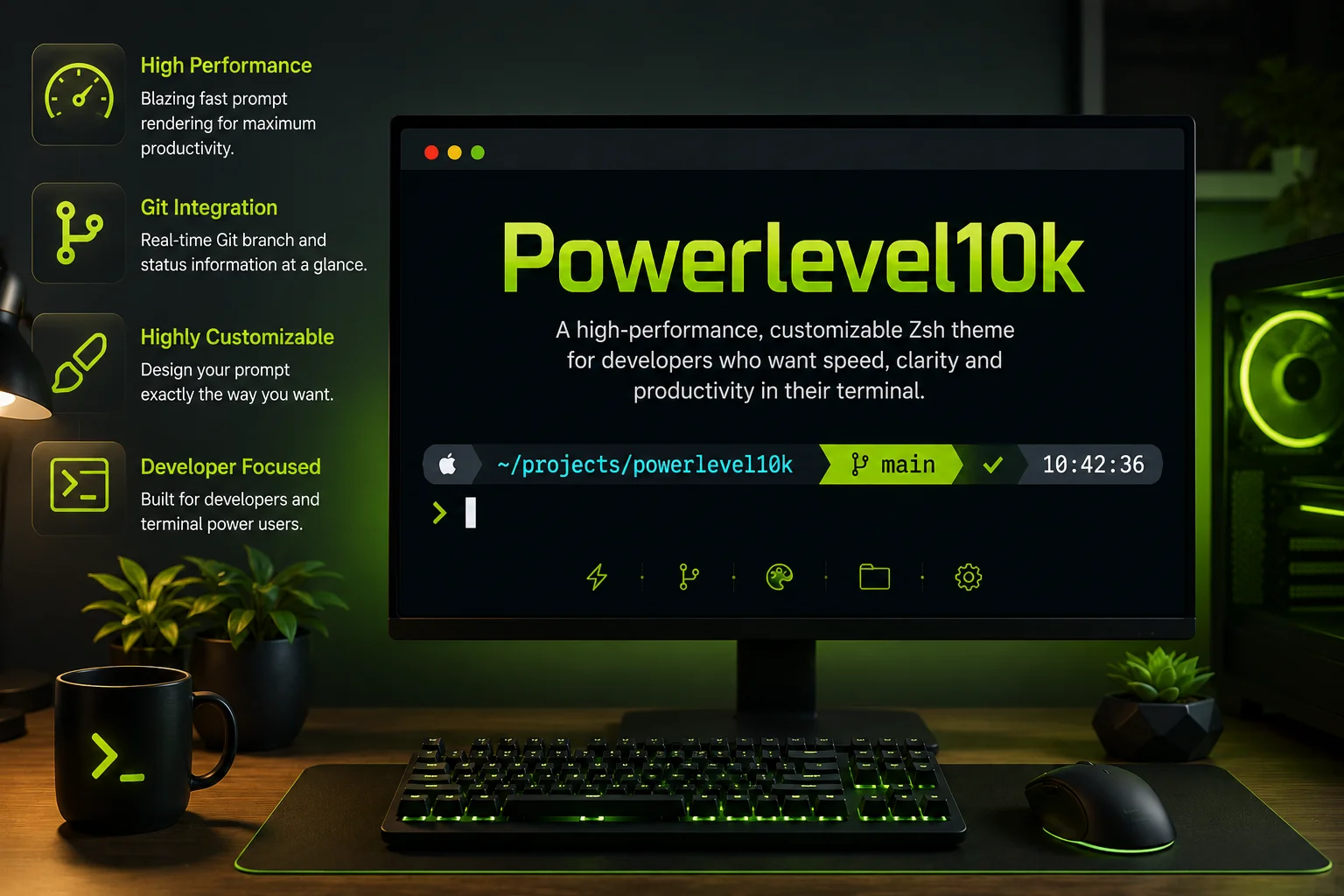
Powerlevel10k delivers a modern and high-performance terminal experience with advanced customization, lightning-fast prompt rendering, real-time Git integration, and intelligent workflow tools. Its powerful features help developers improve productivity while maintaining a clean, responsive, and visually appealing command-line environment.
Ultra-Fast Prompt Rendering
Powerlevel10k is designed for maximum speed and responsiveness. The prompt renders instantly, even inside large development projects and complex Git repositories.
Instant Prompt Loading
The instant prompt feature allows the terminal to appear immediately while the shell continues loading in the background for a faster workflow experience.
Advanced Git Status Indicators
Users can view branch names, staged changes, untracked files, merge conflicts, and repository status directly inside the terminal prompt.
Multi-Line Prompt Support
The theme supports customizable multi-line prompts that improve readability and create a cleaner command-line workspace.
Custom Icons & Fonts
Powerlevel10k supports Nerd Fonts and modern icon packs that enhance the visual appearance of the terminal environment.
Kubernetes & Docker Integration
Display Kubernetes contexts, namespaces, Docker environments, and container information directly inside the prompt.
Battery & System Status Display
Monitor battery percentage, CPU usage, execution time, and background processes without leaving the terminal.
Cross-Platform Compatibility
Works smoothly across Linux, macOS, Windows Subsystem for Linux, and popular terminal emulators.
Fully Configurable Layout
Customize prompt segments, colors, spacing, alignment, icons, and displayed information according to your workflow.
Wizard-Based Setup
The interactive configuration wizard helps users select layouts, styles, icons, and colors without manual editing.
- Workflow
How Does Powerlevel10k Work?
Powerlevel10k transforms the standard Zsh terminal prompt into a fast, intelligent, and fully customizable command-line interface designed for modern development workflows. Instead of displaying a basic shell prompt, it provides real-time information about your system, coding environment, Git repositories, cloud tools, and active tasks directly inside the terminal. The theme is optimized for speed and responsiveness, ensuring a smooth experience even in large development projects.
With its advanced rendering engine and smart prompt system, Powerlevel10k helps developers work more efficiently by reducing visual clutter and displaying only the most relevant information when needed. From Git branch tracking to Kubernetes context detection, every component is designed to improve productivity while maintaining exceptional performance.
Instant Prompt Loading
Powerlevel10k uses advanced instant prompt technology to display the terminal interface immediately after launch. Users can begin typing commands instantly without waiting for the shell to fully initialize.
Real-Time Git Integration
The theme continuously monitors Git repositories and displays active branches, modified files, staged changes, merge conflicts, and repository status directly inside the terminal prompt.
Dynamic Prompt Segments
Powerlevel10k organizes terminal information into intelligent prompt segments that adapt to the current environment and display useful real-time system information automatically.
Intelligent Rendering Engine
The rendering engine is optimized for maximum speed and efficiency, minimizing unnecessary redraws to ensure extremely fast prompt rendering inside complex environments.
Interactive Configuration Wizard
The built-in setup wizard guides users through selecting layouts, colors, icons, and styles without requiring manual configuration or scripting knowledge.
Nerd Font & Icon Support
Powerlevel10k supports Nerd Fonts to provide modern symbols and visual indicators that improve readability and create a polished command-line experience.
Seamless Developer Workflow
The theme integrates smoothly with Git, Docker, Kubernetes, Node.js, Python, and cloud environments to display relevant development information directly inside the prompt.
Optimized for Productivity
Every feature in Powerlevel10k is designed to improve workflow speed, reduce distractions, and create a professional terminal environment for efficient development.
- Installation
Install Powerlevel10k in Seconds
Follow these simple steps to get Powerlevel10k running on your system.
Step 1 – Install Zsh
Before installing Powerlevel10k, users need to install the Zsh shell on their operating system. Zsh is an advanced command-line shell that offers improved customization, better scripting capabilities, and enhanced productivity features compared to traditional shells.
# Install Zsh on Ubuntu
sudo apt install zsh

# Set Zsh as default shell
chsh -s $(which zsh)Step 2 – Install Oh My Zsh
After installing Zsh, the next step is setting up Oh My Zsh, one of the most popular frameworks for managing Zsh configurations. It simplifies shell customization and improves the overall terminal experience.
# Install Oh My Zsh
sh -c "$(curl -fsSL https://raw.githubusercontent.com/ohmyzsh/ohmyzsh/master/tools/install.sh)"Step 3 – Download Powerlevel10k
Users can then download the Powerlevel10k theme directly from its official repository. This step installs all required theme files and prepares the terminal for activation.
# Clone Powerlevel10k
git clone --depth=1 https://github.com/romkatv/powerlevel10k.git \
${ZSH_CUSTOM:-$HOME/.oh-my-zsh/custom}/themes/powerlevel10kStep 4 – Enable the Theme
Once the files are installed, users need to enable Powerlevel10k by editing the .zshrc configuration file and changing the active theme setting.
# Edit ~/.zshrc
ZSH_THEME="powerlevel10k/powerlevel10k"Step 5 – Launch the Setup Wizard
After restarting the terminal, Powerlevel10k automatically launches its interactive configuration wizard for styles, icons, layouts, and prompt customization.
# Restart terminal configuration
source ~/.zshrc

# Run setup wizard manually
p10k configureStep 6 – Customize the Prompt
Users can further personalize their terminal experience by customizing prompt segments, icons, spacing, Git indicators, and additional developer-focused features.
# Open Powerlevel10k config
nano ~/.p10k.zsh

# Reload configuration
source ~/.zshrc- Why Choose
Why Developers Prefer Powerlevel10k
Powerlevel10k is trusted by developers for its lightning-fast performance, modern interface, advanced customization options, and seamless integration with development tools. It helps create a cleaner, more productive, and highly efficient terminal experience for daily workflows.
Faster Than Most Traditional Zsh Themes
Powerlevel10k is designed with performance as a top priority. Unlike many traditional Zsh themes that slow down terminal responsiveness, Powerlevel10k delivers extremely fast prompt rendering and smooth command execution even in large development environments.
Minimal Terminal Startup Delay
The instant prompt system allows the terminal to become usable almost immediately after launch while background processes continue loading for a much faster workflow experience.
Clean and Modern Interface
Powerlevel10k provides a polished command-line interface with organized prompt segments, modern layouts, and customizable styling that improves readability and workflow clarity.
Beginner-Friendly Setup Process
The interactive configuration wizard allows users to select themes, icons, prompt styles, and layouts without manually editing complicated configuration files.
Highly Flexible Customization System
Users can fully customize prompt segments, Git indicators, colors, multi-line layouts, language environments, and system status modules according to personal workflow preferences.
Excellent Compatibility with Development Tools
Powerlevel10k integrates smoothly with Git, Docker, Kubernetes, SSH sessions, programming language runtimes, cloud platforms, and other modern development utilities.
Optimized for Productivity Workflows
Real-time status indicators, intelligent rendering, and responsive performance help developers maintain focus and improve efficiency throughout professional development workflows. Every feature is carefully optimized to create a faster, cleaner, and more organized command-line experience for developers working in modern environments.
- Requirements
System Requirements
Powerlevel10k runs on virtually any system with Zsh installed.
Shell
- Zsh 5.1 or newer
- Oh My Zsh (optional)
- Prezto (optional)
- Pure Zsh (supported)
Terminal
- iTerm2, Terminal.app
- GNOME Terminal, Konsole
- Windows Terminal, Alacritty
- Kitty, WezTerm, Hyper
Fonts
- MesloLGS NF (recommended)
- Any Nerd Font
- Cascadia Code (partial)
- Falls back to ASCII
- Customization
Customize Your Terminal Like a Pro
Beyond the wizard, Powerlevel10k offers deep customization through its well-structured configuration file.
Custom Layouts
Define left and right prompt segments, their order, and spacing. Create multi-line prompts or compact single-line layouts.
Visual Formatting
Control foreground and background colors, bold and italic styles, underlines, and overlines for every individual segment.
Custom Segments
Write your own segments using Zsh functions. Display everything from API data to system metrics directly in your prompt.
Conditional Display
Show or hide segments based on conditions like directory, Git presence, command type, or custom logic functions.
- Use Cases
Who Should Use Powerlevel10k ?
Powerlevel10k is designed for users who spend significant time working inside the terminal and want a faster, cleaner, and more productive command-line environment. Its advanced customization features, real-time status indicators, and optimized performance make it suitable for both beginners and experienced professionals across different technical fields.
Software Developers
Software developers use Powerlevel10k to improve coding productivity and streamline terminal workflows. The theme displays Git status updates, programming environment indicators, and clean directory navigation directly inside the prompt for technologies like Python, Node.js, Java, Go, and PHP.
Linux Users
Linux users prefer Powerlevel10k because it transforms the traditional terminal into a modern and customizable workspace with colorful prompts, better command visibility, and real-time system indicators while maintaining excellent performance.
DevOps Engineers
DevOps engineers manage containers, infrastructures, and cloud environments more efficiently using Powerlevel10k. It displays Kubernetes contexts, Docker environments, SSH sessions, and execution details directly inside the terminal.
Ethical Hackers
Ethical hackers and cybersecurity professionals rely on Powerlevel10k for faster navigation, better command visibility, and cleaner terminal organization during penetration testing and advanced security operations.
Cloud Engineers
Cloud engineers working with AWS, Azure, and Google Cloud use Powerlevel10k to monitor active sessions, deployment environments, and project contexts directly from the terminal prompt in real time.
System Administrators
System administrators use Powerlevel10k to manage servers, monitor configurations, and organize remote sessions more efficiently with lightweight performance and highly informative prompt segments.
Terminal Enthusiasts
Terminal enthusiasts enjoy customizing their command-line interface with themes, icons, prompt layouts, gradients, color schemes, and personalized segments that create a visually polished terminal experience.
Open Source Contributors
Open source contributors benefit from improved repository visibility through branch tracking, file change indicators, commit states, and synchronization details displayed directly inside the terminal prompt.
- Screenshots
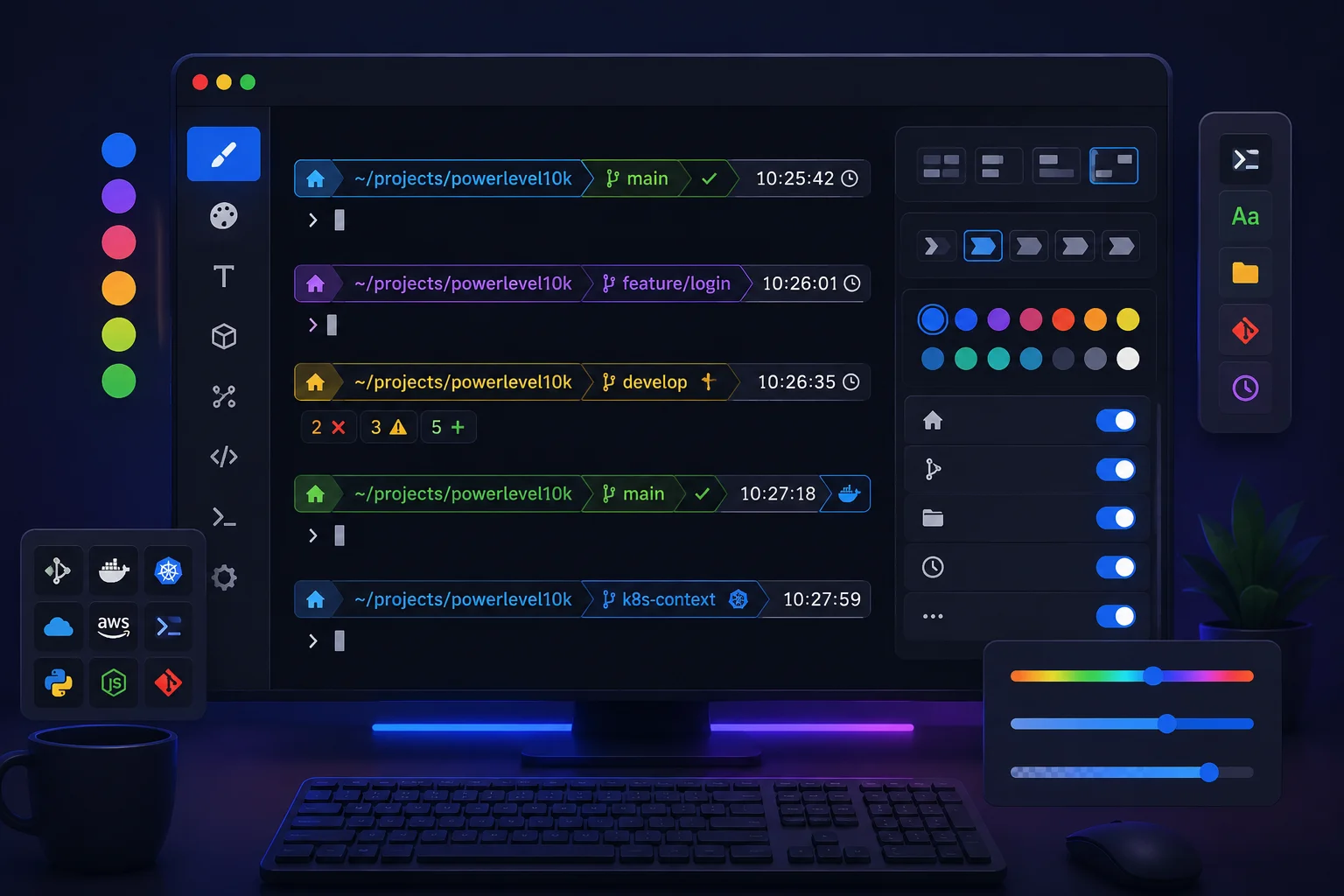
See Powerlevel10k in Action
Multiple built-in styles to match your workflow and aesthetic preference.
- Benefits
Benefits of Using Powerlevel10k
Powerlevel10k improves terminal productivity with faster performance, advanced customization, better Git visibility, and a cleaner command-line experience for developers.
Improves Workflow Efficiency
Powerlevel10k helps developers work more efficiently by displaying Git status, active directories, programming environments, and system information directly inside the terminal prompt without requiring extra commands.
Makes Terminal Navigation Easier
Clean prompt layouts and structured directory indicators make it easier to navigate between projects and development environments with greater speed, visibility, and accuracy.
Enhances Visual Appearance
Powerlevel10k transforms the traditional terminal into a visually polished workspace using colorful prompts, modern styling, advanced layouts, and highly customizable design elements.
Speeds Up Development Tasks
Built for maximum performance, Powerlevel10k delivers instant prompt rendering and smooth terminal responsiveness even while working with large repositories and complex development environments.
Provides Better Git Visibility
Advanced Git integration displays repository activity, branch details, merge conflicts, commit states, and staged changes directly inside the terminal prompt in real time.
Helps Organize Terminal Information
Important system data and development information are organized into structured prompt segments that improve readability and create a cleaner command-line experience.
Supports Advanced Development Environments
Powerlevel10k works seamlessly with Docker, Kubernetes, Node.js, Python, AWS CLI, Terraform, SSH sessions, and modern cloud development tools, making it ideal for developers, DevOps engineers, and infrastructure professionals.
- Comparison
How Powerlevel10k Compares
An honest comparison with other popular terminal prompt tools.
| Feature | Powerlevel10k | Starship | Oh My Zsh Default |
|---|---|---|---|
| Render Speed | <1ms | ~5-15ms | ~50-200ms |
| Instant Prompt | Yes | Partial | No |
| Config Wizard | Included | Basic | No |
| Cross-Shell | Zsh only | Multi-shell | Zsh only |
| Git Performance (Large Repo) | Excellent | Good | Poor |
| Built-in Styles | 4 styles | 1 default | 1 default |
| Custom Segments | Advanced | Supported | Limited |
- Testimonials
Loved by Developers Worldwide
See what real users say about their experience with Powerlevel10k.
Alex Kim
Senior Backend Engineer"Switching to Powerlevel10k was the single biggest quality-of-life improvement for my terminal workflow. The instant prompt alone saves me seconds on every terminal open, and the Git status integration is incredible."
Sarah Patel
DevOps Engineer"I manage dozens of servers daily and Powerlevel10k’s responsive design is a game-changer. It adapts perfectly whether I’m on a wide monitor or a cramped SSH session. The Lean style is my go-to for production work."
Marco Rossi
Full-Stack Developer"The configuration wizard is genius. I had a gorgeous prompt in 30 seconds without reading a single line of docs. Three months later, I’m still discovering new segments and options. This is how developer tools should be made."
- FAQ
Frequently Asked Questions
Answers to the most common questions about Powerlevel10k.